Roles: Administrator & Employee | Interface: Web, Mobile
What the blue circle means
When you see a blue circle around a location pin (e.g. “Last charged location”), it shows that the position is an estimate, not a precise GPS point.
This location is often based on cellular triangulation – a common technique that uses nearby mobile towers to estimate where a device is. It’s normal for this to be less exact than GPS.
Why the circle can be large or small
The size of the blue circle shows how accurate the location is.
-
Small circle
- High confidence
-
The asset is likely very close to the pin
-
Large circle
- Lower confidence
-
The asset could be anywhere inside the circle
- A large circle is not a mistake. It simply shows that the estimate is less precise.
Why cellular triangulation is less precise
- It is less accurate than GPS or fixed gateways, especially in certain environments as cellular triangulation estimates location using signals from nearby mobile towers.
The circle may be larger when:
- Mobile signal is weak.
- The asset is indoors (basements, dense buildings, tunnels)
- Few or distant mobile towers are available
In these situations, the most reliable answer the system can give is: “The asset is somewhere inside this circle.”
How the blue circle helps you
-
The circle tells you how much you can trust the pin:
- Small circle → search close to the pin
- Large circle → search a wider area
- It prevents false precision by clearly showing the margin of error.
How ON!Track chooses the best location
ON!Track always shows the most accurate location source available, in this order:
-
Warehouse gateways & Geo Tags
- Very accurate
-
Usually show small circles
-
Van & heavy‑equipment gateways
- Good accuracy, depends on movement and reception
-
Usually show medium circles
-
Nuron connected chargers (last charged location)
- Often based on cellular triangulation
- May show larger circles, especially with weak signal
Summary
- The pin shows the best estimated location
- The blue circle shows how wide the possible search area is
- Cellular triangulation is the reason some locations are less precise
- Large circle = lower precision, not an error
- ON!Track always shows the best location it can reliably provide
For Web Interface:
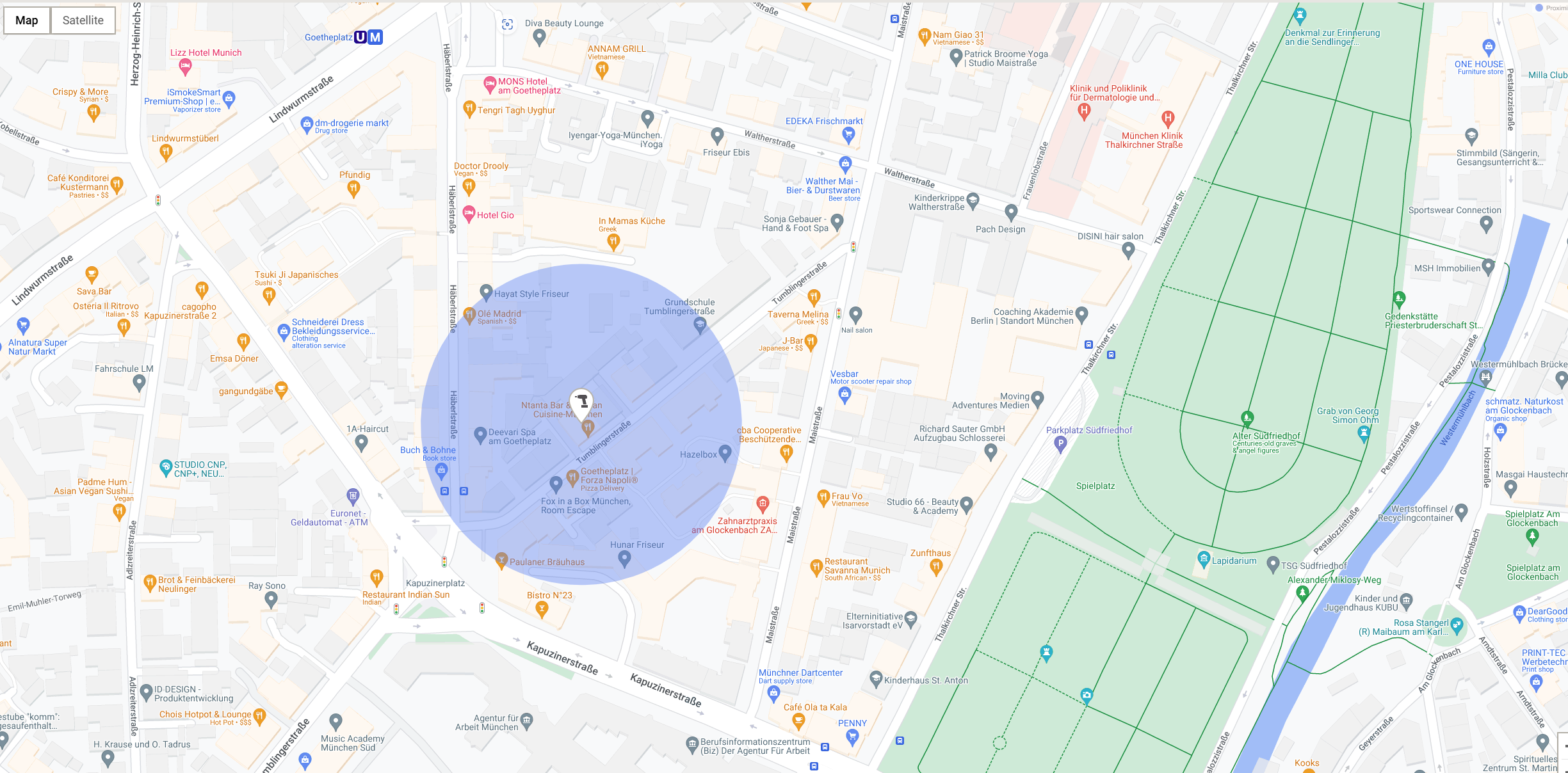
For Mobile App Interface:
If you are interested in knowing about the (last charged location) geolocation in your location details, please check: Last Charged Location Not Displayed in Device Settings
If you are interested in knowing if the last charged location tracks your live location details, please check: Does 'Last Charged Location' feature track live locations